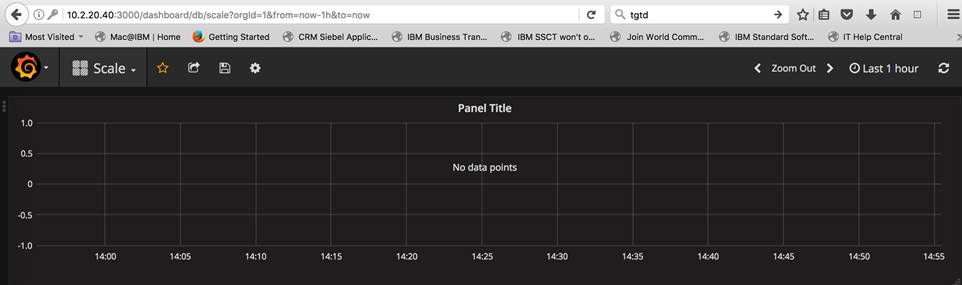
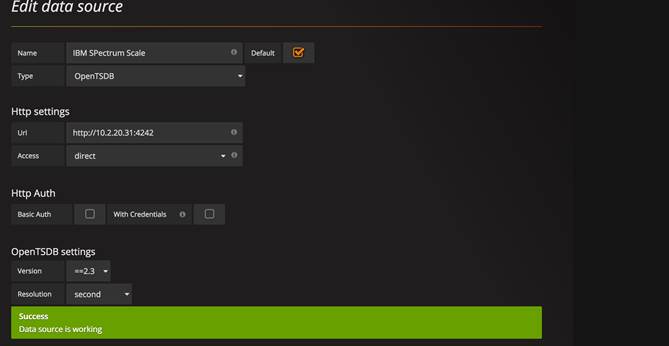
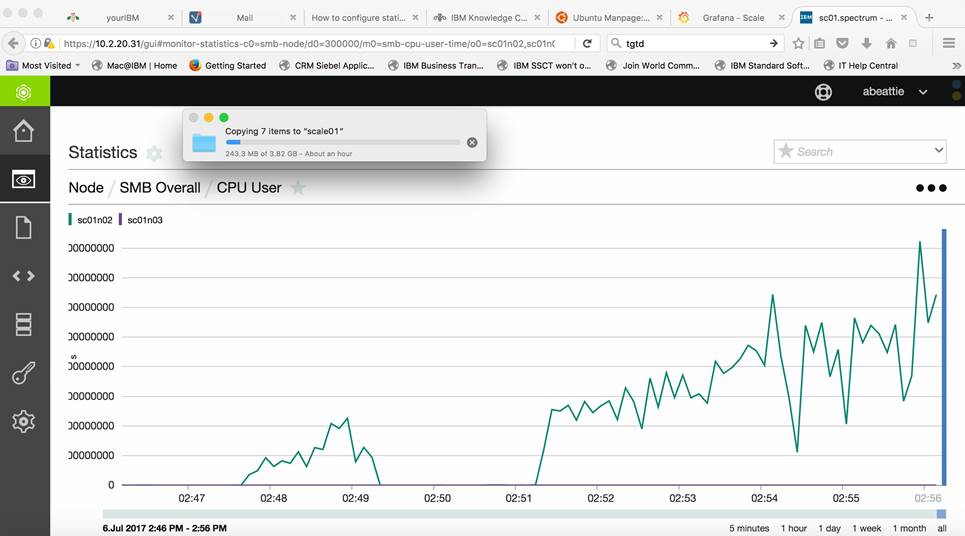
Hi Andrew, Have you created new dashboards for GPFS? This shows you how to do it https://www.ibm.com/developerworks/community/wikis/home?lang=en#!/wiki/Gener... Alternatively there are some predefined dashboards here https://www.ibm.com/developerworks/community/wikis/home?lang=en#!/wiki/Gener... that you can import and have a play around with… Regards Neil Neil Wilson Senior IT Practitioner Storage Team IT Services Met Office FitzRoy Road Exeter Devon EX1 3PB United Kingdom Tel: +44 (0)1392 885959 Email: neil.wilson@metoffice.gov.uk<mailto:neil.wilson@metoffice.gov.uk> Website www.metoffice.gov.uk<http://www.metoffice.gov.uk/> Our magazine Barometer is now available online at http://www.metoffice.gov.uk/barometer/ P Please consider the environment before printing this e-mail. Thank you. From: gpfsug-discuss-bounces@spectrumscale.org [mailto:gpfsug-discuss-bounces@spectrumscale.org] On Behalf Of Andrew Beattie Sent: 06 July 2017 06:07 To: gpfsug-discuss@spectrumscale.org Subject: [gpfsug-discuss] Scale / Perfmon / Grafana - services running but no data Greetings, I'm currently setting up Grafana to interact with one of our Scale Clusters and i've followed the knowledge centre link in terms of setup. https://www.ibm.com/support/knowledgecenter/en/STXKQY_4.2.3/com.ibm.spectrum... However while everything appears to be working i'm not seeing any data coming through the reports within the grafana server, even though I can see data in the Scale GUI The current environment: [root@sc01n02 ~]# mmlscluster GPFS cluster information ======================== GPFS cluster name: sc01.spectrum GPFS cluster id: 18085710661892594990 GPFS UID domain: sc01.spectrum Remote shell command: /usr/bin/ssh Remote file copy command: /usr/bin/scp Repository type: CCR Node Daemon node name IP address Admin node name Designation ------------------------------------------------------------------ 1 sc01n01 10.2.12.11 sc01n01 quorum-manager-perfmon 2 sc01n02 10.2.12.12 sc01n02 quorum-manager-perfmon 3 sc01n03 10.2.12.13 sc01n03 quorum-manager-perfmon [root@sc01n02 ~]# [root@sc01n02 ~]# mmlsconfig Configuration data for cluster sc01.spectrum: --------------------------------------------- clusterName sc01.spectrum clusterId 18085710661892594990 autoload yes profile gpfsProtocolDefaults dmapiFileHandleSize 32 minReleaseLevel 4.2.2.0 ccrEnabled yes cipherList AUTHONLY maxblocksize 16M [cesNodes] maxMBpS 5000 numaMemoryInterleave yes enforceFilesetQuotaOnRoot yes workerThreads 512 [common] tscCmdPortRange 60000-61000 cesSharedRoot /ibm/cesSharedRoot/ces cifsBypassTraversalChecking yes syncSambaMetadataOps yes cifsBypassShareLocksOnRename yes adminMode central File systems in cluster sc01.spectrum: -------------------------------------- /dev/cesSharedRoot /dev/icos_demo /dev/scale01 [root@sc01n02 ~]# [root@sc01n02 ~]# systemctl status pmcollector ● pmcollector.service - LSB: Start the ZIMon performance monitor collector. Loaded: loaded (/etc/rc.d/init.d/pmcollector) Active: active (running) since Tue 2017-05-30 08:46:32 AEST; 1 months 6 days ago Docs: man:systemd-sysv-generator(8) Main PID: 2693 (ZIMonCollector) CGroup: /system.slice/pmcollector.service ├─2693 /opt/IBM/zimon/ZIMonCollector -C /opt/IBM/zimon/ZIMonCollector.cfg... └─2698 python /opt/IBM/zimon/bin/pmmonitor.py -f /opt/IBM/zimon/syshealth... May 30 08:46:32 sc01n02 systemd[1]: Starting LSB: Start the ZIMon performance mon...... May 30 08:46:32 sc01n02 pmcollector[2584]: Starting performance monitor collector... May 30 08:46:32 sc01n02 systemd[1]: Started LSB: Start the ZIMon performance moni...r.. Hint: Some lines were ellipsized, use -l to show in full. From Grafana Server: [cid:image002.jpg@01D2F70A.17F595F0] when I send a set of files to the cluster (3.8GB) I can see performance metrics within the Scale GUI [cid:image004.jpg@01D2F70A.17F595F0] yet from the Grafana Dashboard im not seeing any data points [cid:image006.jpg@01D2F70A.17F595F0] Can anyone provide some hints as to what might be happening? Regards, Andrew Beattie Software Defined Storage - IT Specialist Phone: 614-2133-7927 E-mail: abeattie@au1.ibm.com<mailto:abeattie@au1.ibm.com>